Check PS4 & PS5 Controller Inputs
PS4 Controller Tester
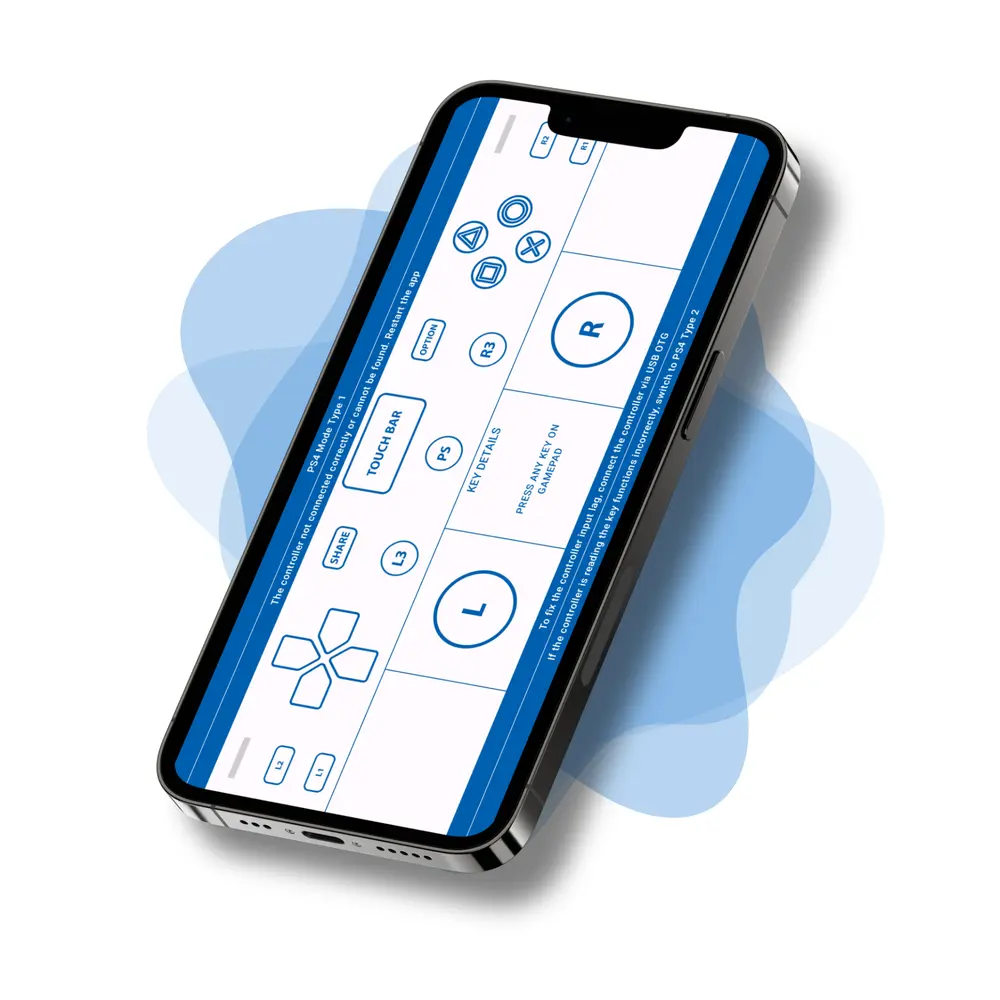
PS Controller Tester checks every function of your PS4 DualShock or PS5 DualSense controller. You can run it free in your browser, or install the Android app and test on the go. As you press buttons, move the sticks, or pull the triggers, the app maps each input on screen in real time. So whether you just bought a controller or you’re troubleshooting an older one, you can confirm it works in seconds.
On iPhone or iPad? Our Gamepad Tester app for iOS also tests DualShock 4 and DualSense controllers, including stick drift, rumble, battery, and LED color.
Visit our FAQ section for setup guides and troubleshooting tips.

Why use PS Controller Tester?
Bought a new PlayStation controller? Confirm that every button, stick, trigger, and the vibration motor works before your first match. Picking up a used DualShock or DualSense? Faults show up more often there, so a quick test helps you catch stick drift, dead buttons, or weak rumble early.
The app also shows the controller’s connection type and mapping, so you can tell whether it pairs correctly with your phone or tablet. On newer Android versions, such as Android 10 and above, the default mappings can shift. In that case, switch to Universal Mode and full compatibility returns.
Note: Before downloading, make sure your device supports PS4 controllers via Bluetooth or USB OTG.
Features
- Real-time test for buttons, sticks & triggers
- Easy Graphical & Text display modes
- Universal Mode fixes mismatched mappings (Android 10+)
- Optimized for Android phones & tablets
- Great for gamers, devs & testers
Supporting Devices
- DualShock 4 (PS4 Controller)
- DualSense (PS5 Controller)
Modes
- PS Mode Type1
- PS Mode Type2
- Universal Mode