Gamepad Tester App for Android & iOS
Gamepad Tester App
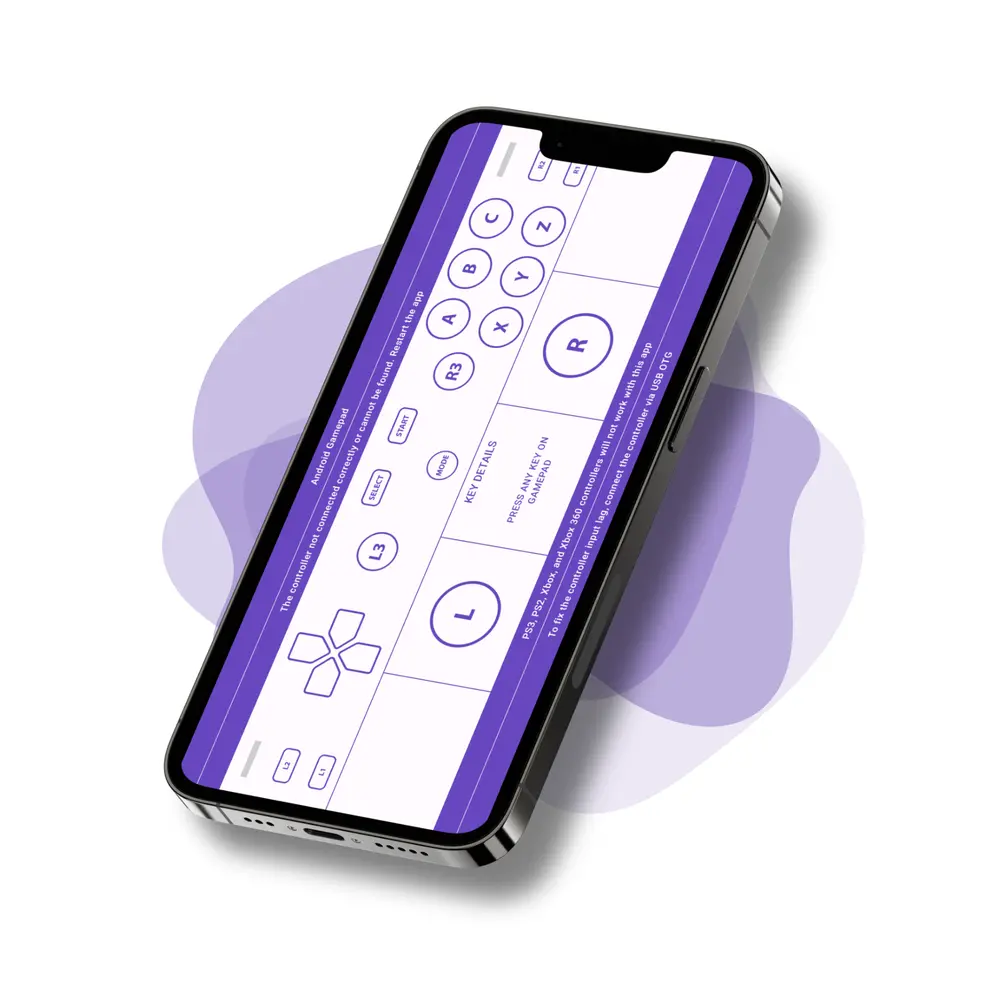
It is a powerful, easy-to-use app for checking controller functionality on Android, iPhone, and iPad. Whether you’re a gamer verifying input response or a developer debugging buttons and sticks, the app provides real-time feedback on button presses, thumbstick movement, and trigger sensitivity, all directly on your phone or tablet.
Visit our FAQ section for setup guides and troubleshooting tips.


Available for Android 7.0+ and iOS 14.0+ devices
Why Use Gamepad Tester?
Testing a New Controller
Test your controller thoroughly before the return or replacement period ends. Check every button, both analogue sticks, the full trigger range and both vibration motors to quickly confirm that your new controller is working correctly.
Buying or Checking a Second-Hand Controller
Used controllers can have faults that are not immediately obvious. Stick drift, unresponsive buttons, limited trigger range and weak vibration motors can all affect gameplay.
Gamepad Tester makes these issues visible on screen. You can also test features that are often overlooked, including gyroscope movement, touchpad input and LED or light bar colour channels.
When a Controller Works in One Game but Not Another
Different games may interpret controller inputs differently. Android Mode shows the button names and inputs reported directly to Android, making it easier to identify incorrect button mappings or compatibility issues.
PS Mode (Type 2) is designed for PlayStation controllers that Android maps using a shifted button layout.
Checking Controller Compatibility
Confirm that your controller is communicating correctly with your Android device before relying on it in a game. Gamepad Tester displays useful device information, including the controller name, vendor and product IDs, mapping type, battery status and vibration support.
This is particularly useful when connecting controllers through Bluetooth, USB-C or an OTG adapter.
For Developers and Advanced Testing
Universal Mode displays numbered buttons and raw axis values for every input exposed by the device. This allows you to inspect controllers that Android may not fully recognise and analyse exactly what input data the controller is sending.
Now on iPhone & iPad
Gamepad Tester: Input & Drift brings the same real-time testing to iOS. Connect a controller over Bluetooth or a cable, and every button, trigger, analog stick, and d-pad direction lights up on screen. Precise X and Y readouts make stick drift easy to spot: leave the sticks centered and watch for unwanted movement. You can also fire rumble and haptics presets, check the battery level, and even change the LED color on DualShock 4 and DualSense controllers.
The iOS app works with MFi-certified controllers such as Backbone One and Razer Kishi, Xbox controllers over Bluetooth, and PlayStation DualShock 4 and DualSense. Note that controllers iOS doesn’t recognize natively may not appear, even if they work on other platforms.
Features
- Real-time input, stick and trigger feedback
- Four testing modes, including two PlayStation button mappings
- Vibration, motion, touchpad and light bar tests
- View controller name, type & connection
- Battery level for controllers that report it
- Works with USB, Bluetooth & wireless controllers
- Built for gamers and developers to debug inputs accurately
- Also available on iPhone and iPad
Supporting Devices
- PlayStation: DualShock 4 (v1 and v2), DualSense
- Xbox: Wireless, Series X|S, Elite
- Nintendo Switch Pro
- 8BitDo, Razer, GameSir, Backbone
- Generic Bluetooth and USB gamepads
- Anything Android does not recognise, through Universal Mode
Testing Modes
- Android Mode
- PS Mode (Type 1)
- PS Mode (Type 2)
- Universal Mode
Hardware tests
- Vibration
- LED*
- Motion*
- Touchpad*
* Needs Android 12+